Yendif Video Share is capable of adding Youtube Videos in two methods.
- Thrid Party Embedcode Method
- Youtube API Method
Using the Third-Party Embed code method will add the Youtube’s Native Player, whereas the other method will use their Flash / Iframe API and play their videos in the custom player itself.
Here, we discuss about using the second method.
Check the steps below to add a new YouTube Video:
- Login to your Joomla admin
- Select “Components → Yendif Video Share → Videos → New“
- Enter your “Title” for the Video
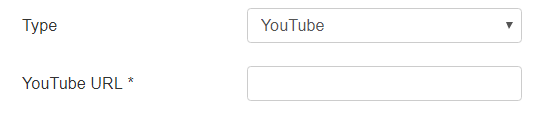
- Select the “Video Type” as Youtube
- Enter your Youtube Video Page URL in the “Video” field
- Check this link to complete the remaining fields.
- Click “Save” at the top of the page.
- Congrats, You have successfully added a YouTube Video.
Still stuck on something? We’re just an email away. Reach out to us here, and you should receive a reply within 24 hours, except on Sundays.