Yendif Video Share is capable of playing HTTP live streams.
Check the steps below to add your HLS / MPEG-Dash Stream:
- Login to your Joomla admin
- Select “Components → Yendif Video Share → Videos → New“
- Enter “Title” for the Video
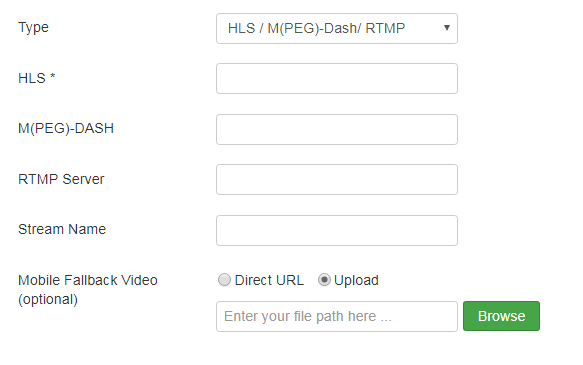
- Select the “Video Type” as “HLS / MPEG-Dash“
- Enter your HLS URL in the “HLS” field.
Example:https://mnmedias.api.telequebec.tv/m3u8/29880.m3u8 - Enter your MPEG-DASH URL in the “MPEG-DASH” field.
Example:https://bitmovin-a.akamaihd.net/content/playhouse-vr/mpds/105560.mpd - Check this link to complete the remaining fields.
- Click “Save” at the top of the page.
- Congrats, You have successfully added an HLS / MPEG-Dash Stream.
Still stuck on something? We’re just an email away. Reach out to us here, and you should receive a reply within 24 hours, except on Sundays.