- Login to your Joomla admin
- Select Content → Site Modules
- Here you can find and enable the “Playlist – Yendif Video Share” module
- You can edit this module and add the required fields
- Click “Save” at the top of the page.
Module properties
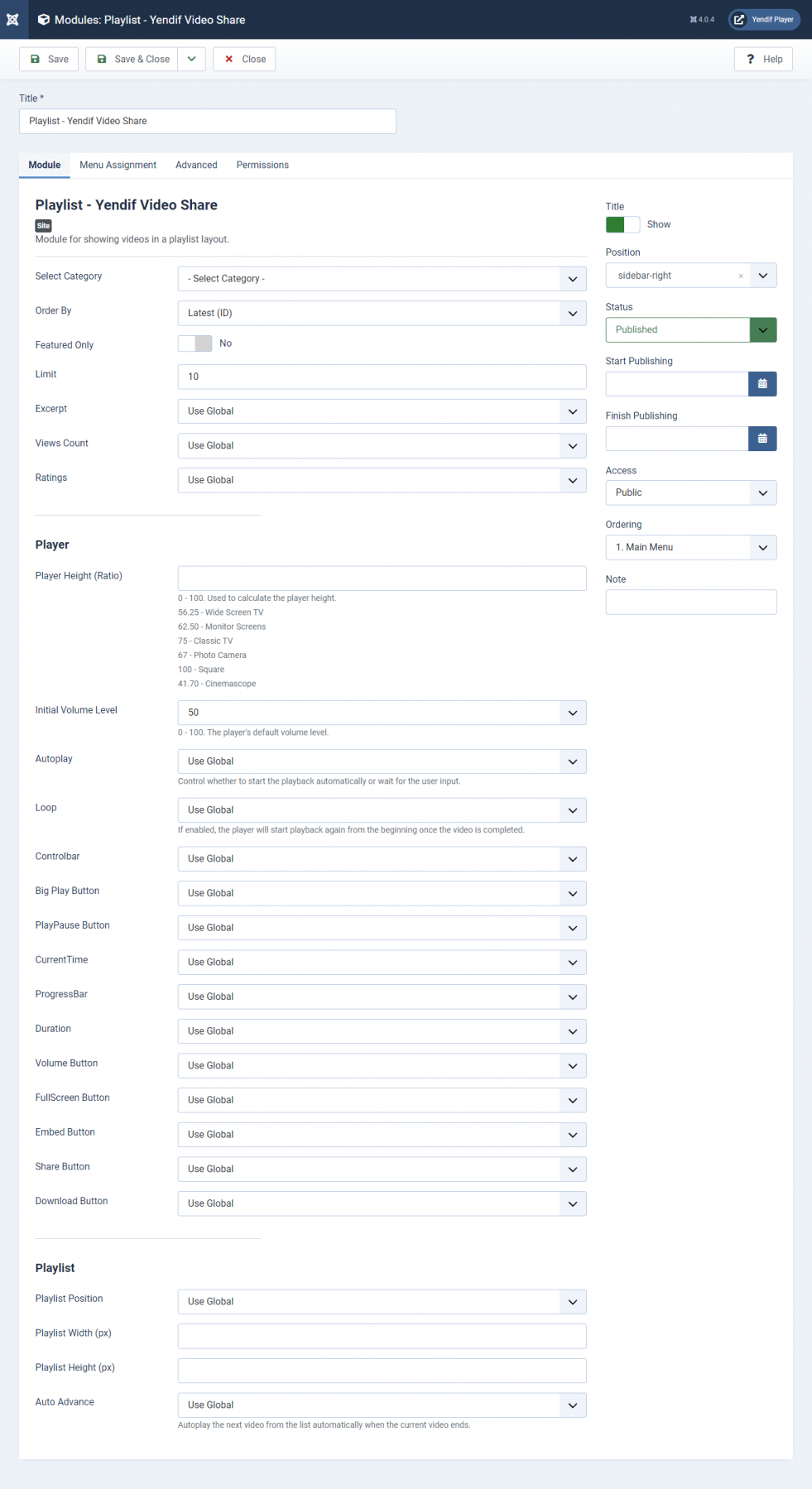
| Option | Description | Example |
|---|---|---|
| Select Video | Select the video to be shown. Selecting “Latest” will display the last added video. | Latest |
| Select Category | Select the particular category or all categories to be displayed in a module | Trailers |
| Order By | Select the order in which the videos should be listed | Latest (ID) |
| Featured Only | Allow displaying only the featured videos | Yes |
| Limit | Number of Videos displayed on the Playlist | 10 |
| Excerpt | Show or hide the video description. | Show |
| Views Count | Show or hide the Views Count. | Show |
| Rating | Show or hide the Ratings. | Show |
| Player Height (Ratio) | The player will use the full width of its enclosing container/HTML element and scale its height according to the ratio provided here. | 0.5625 |
| Initial Volume Level | The playback’s default volume level [0 – 100]. | 50 |
| Autoplay | Control whether to start the playback automatically or wait for the user input. | No |
| Loop | If enabled, the player will start playback again from the beginning once the video is completed. | Global |
| Controlbar | Show or hide the player controls. | Global |
| Big Play Button | Show or hide the big play button in the middle of the video player. | Global |
| Playpause Button | Show or hide the play/pause control from the control bar. | Global |
| Currenttime | Show or hide the current playback time’s display. | Global |
| ProgressBar | Show or hide the progress bar. | Global |
| Duration | Show or hide the video’s total duration. | Global |
| Volume Button | Show or hide the volume control. | Global |
| Fullscreen Button | Show or hide the fullscreen button. | Global |
| Embed Button | Show or hide the embed option. | Global |
| Share Button | Show or hide social share script. | Global |
| Download Button | Show or hide the Download button. | Global |
| Playlist Position | Position where the Playlist displayed. | Bottom |
| Playlist Width (px) | Width of the Playlist. | 500 |
| Playlist Height (px) | Height of the Playlist. | 300 |
| Auto Autoplay | Autoplay the next video from the list automatically when the current video ends. | Global |
Still stuck on something? We’re just an email away. Reach out to us here, and you should receive a reply within 24 hours, except on Sundays.